Your coins, on the screen you already check.
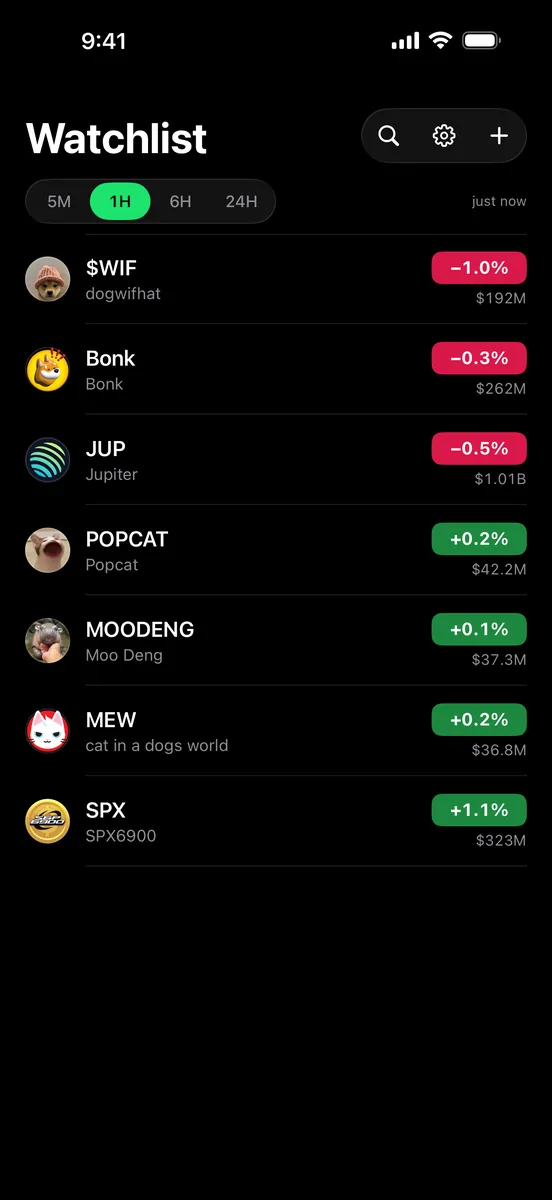
TagPrice puts memecoin prices and market caps on your Home Screen and Lock Screen. Paste a contract address, pick a widget, and leave the trading apps closed.
Download on the App Store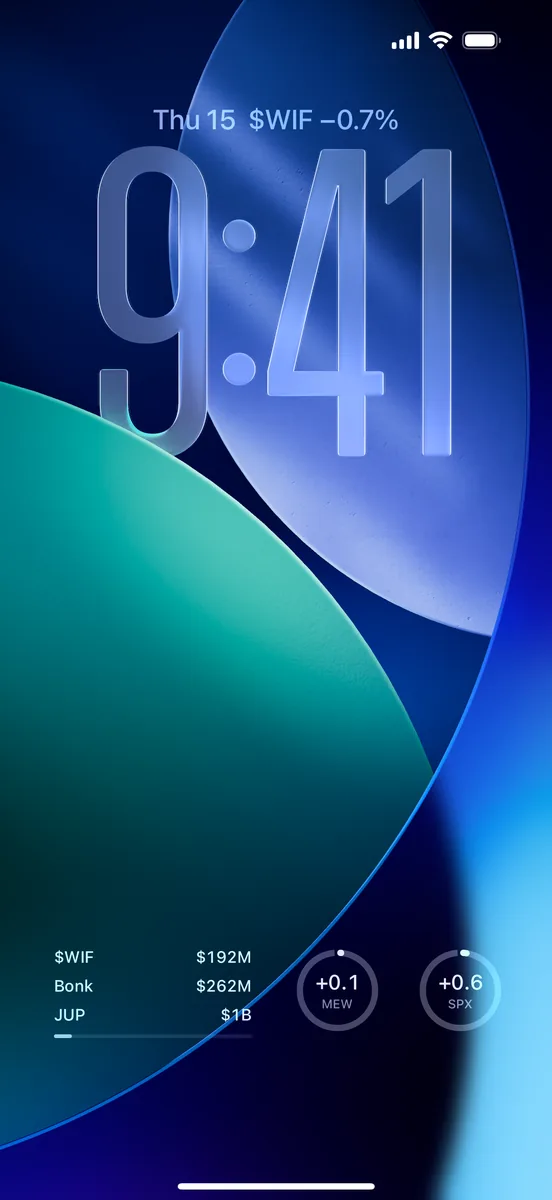
- TagPricenow
$WIF crossed $250M.
- TagPrice2m ago
$MOODENG liquidity fell below $2M.
Everything you keep checking, without opening a single app.
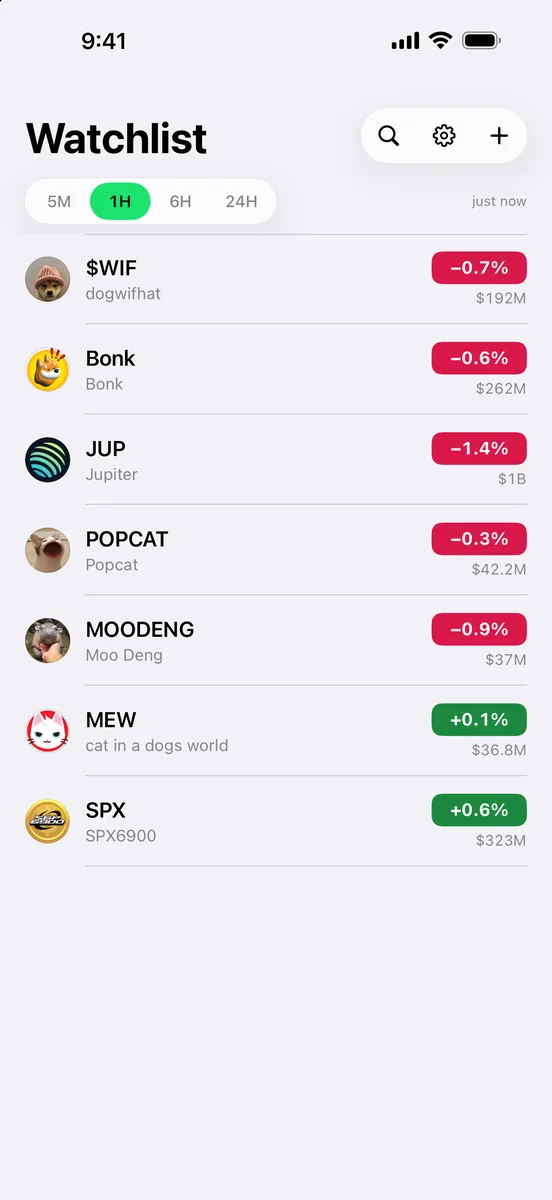
Price, market cap, and how old that number is, for the coins you actually hold. TagPrice puts them where your eyes already land, so a quick check stays quick.
Chapter 01
Six widgets, one glance
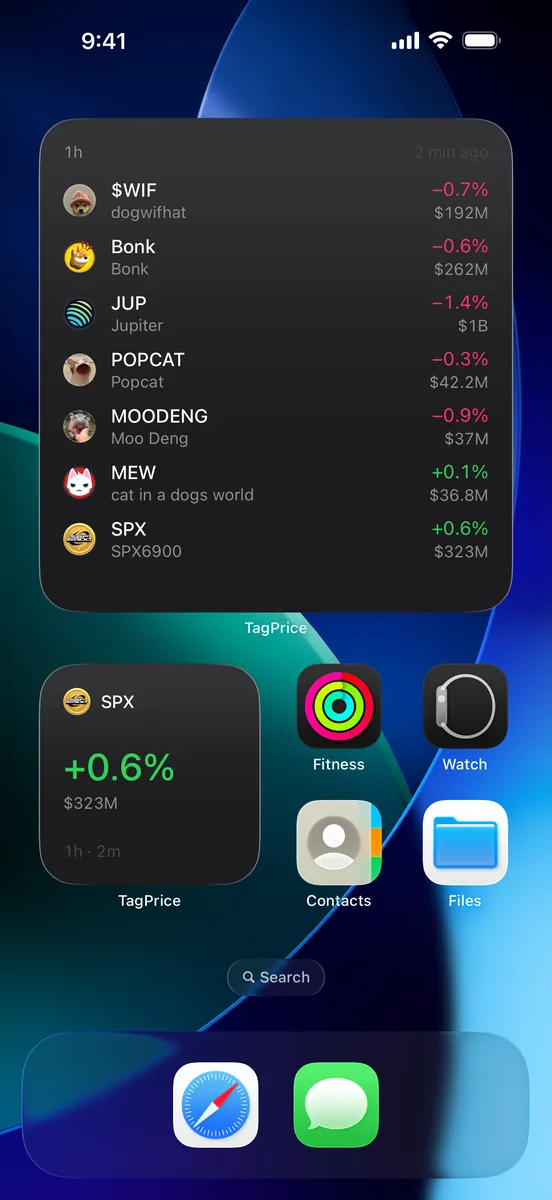
Three sizes on the Home Screen, three shapes on the Lock Screen. Market cap sits next to price wherever there is room for it.
- Home Screen
- Small, medium, large
- Lock Screen
- Circular, rectangular, inline
- On every widget
- How old the number is
Chapter 02
Paste an address.
That’s it.
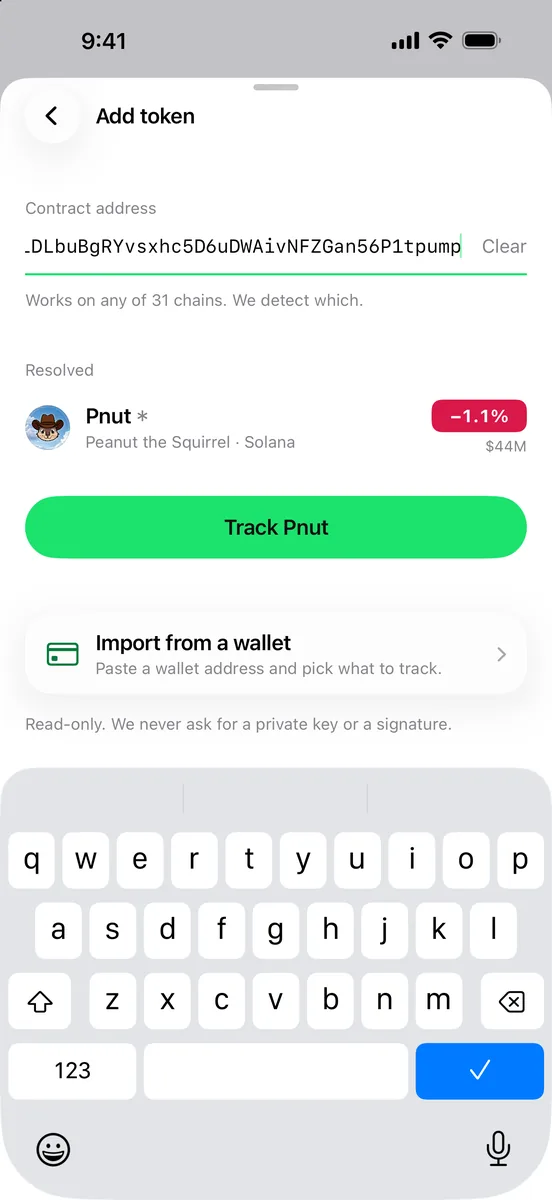
Copy a contract address from wherever you found the coin and paste it in. TagPrice works out the chain and shows you the token before you add it.
- Contract address
- Chain detected for you
- Search
- By name or ticker
- Chains
- 31 supported
A small promise
A quiet chart and a stale one should never look the same.
iOS decides when a widget refreshes, not us. So every widget prints how old its number is, right next to it. If a price is twenty minutes old, you will know it is twenty minutes old.
Chapter 03
Real candles,
not a squiggle
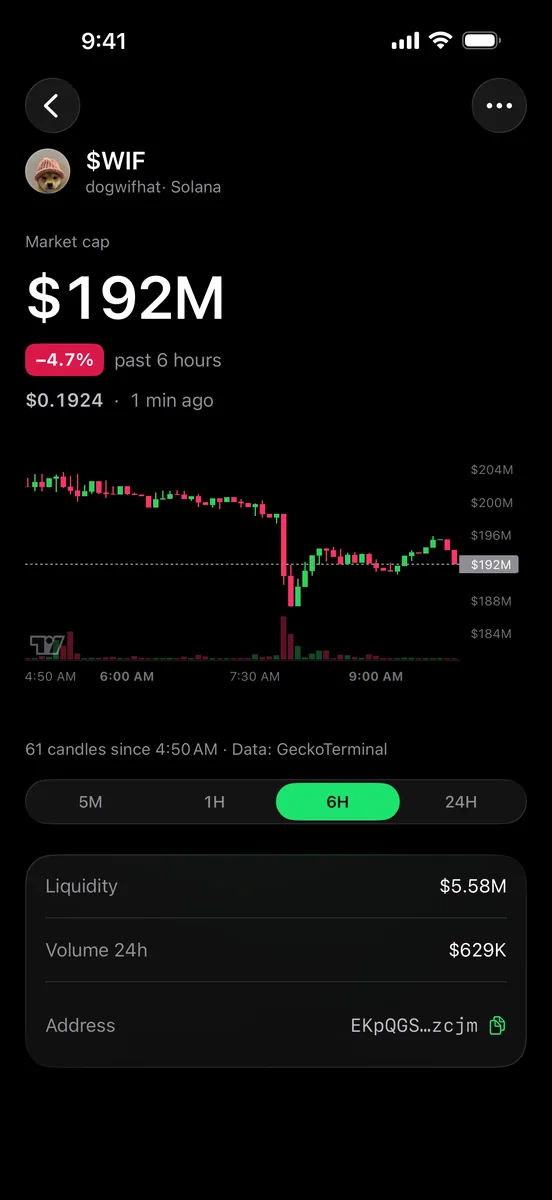
Tap a coin for a candle chart with volume underneath. Switch between 5m, 1h, 6h and 24h candles. Liquidity, 24h volume and the contract address sit right below, one tap to copy.
Chapter 04
Alerts that say
what they’ll say
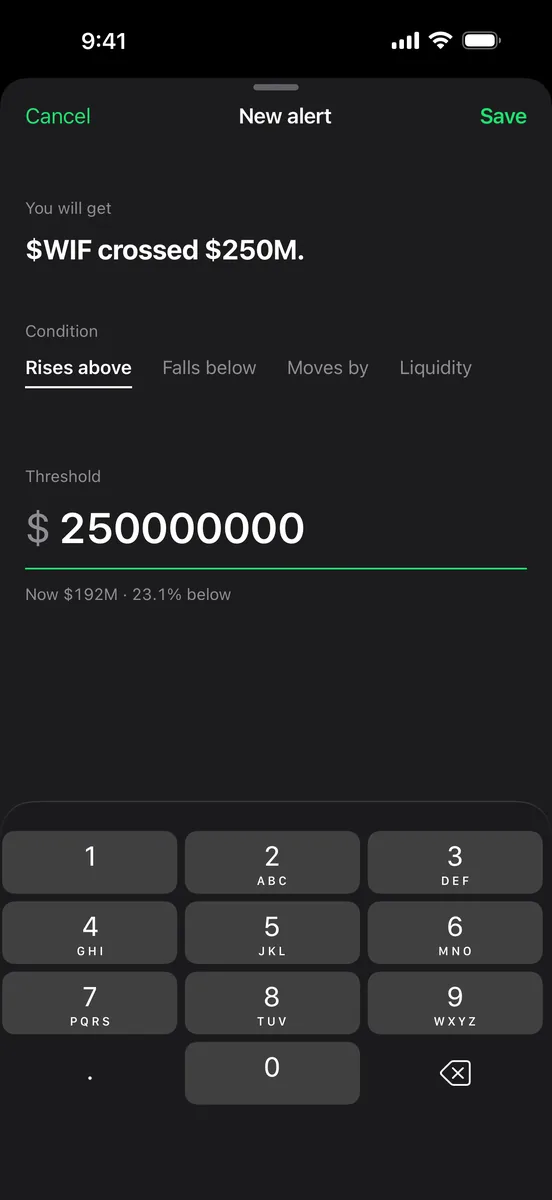
Set a market cap line, a percentage move or a liquidity floor. The editor shows the notification word for word before you save it.
- Rises above
- $WIF crossed $250M.
- Falls below
- $BONK fell below $1.2B.
- Liquidity
- $MOODENG liquidity fell below $2M.
What we will never ask for
The app never asks for a private key, a seed phrase or a signature.
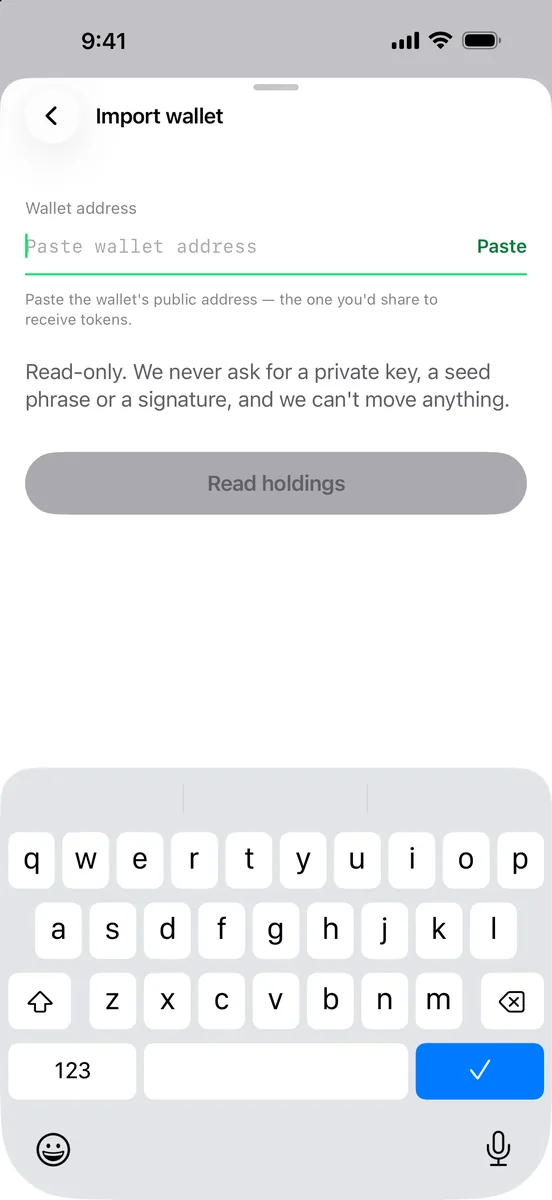
TagPrice only reads. It watches public prices and, if you like, a public wallet address. Nothing inside it can move a coin.
Chapter 05
Read-only,
on purpose
Paste a Solana wallet address and pick which holdings to track. No connect button, no permissions, nothing to approve.
- Wallet import
- Solana address, read-only
- Ad and analytics SDKs
- None
- Coin art
- Loaded through our proxy
Questions, answered plainly
Does TagPrice ever touch my wallet?
No. Wallet import reads a public Solana address. There are no keys, no signatures and no wallet connection in the app.
Which chains work?
31, including Solana, Ethereum, Base, BNB Chain, Arbitrum, Polygon, Avalanche, Tron, Sui, Aptos and HyperEVM. Paste the address and we work out the chain.
How fresh are widget numbers?
iOS decides exactly when widgets refresh, so every widget prints how old its figure is. You never have to guess.
How do I get help?
Email getpricelive@gmail.com. A human reads every message.